Bob writes on his blog about how much he uses Google’s various services. I read through his list and commented that he left off another three I know he uses. I use so many Google account based services that I have a bookmark folder titled “G” that holds them all. I recently changed my bookmark “Picassa” to “Photo” because that’s how I think of it… where I put my Google photos.
Google Pays (#3)
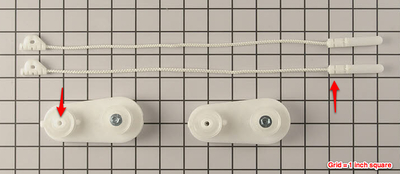
Google check arrived. Third time I’ve reached $100 with Google Ads. I used Claire’s iPod Touch to photograph and deposit the check into our USAA account, so that is different. I had a problem getting the USAA App to work. Kept getting a message it couldn’t read the amount. So I covered up the asterisks before the number with a little piece of paper (see photo) and that worked. I’ve had problems with those asterisks before when doing a scan deposit.
June 2004: Started ads
Sep 2006: First check $100.05
Feb 2009: Second check $106.54
May 2011: Third check $100.83
7 Years. $307. Woo hoo!
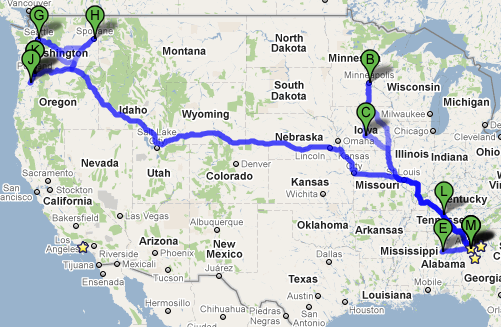
I Beat Sarah Palin
With my cross country trip last week. She’s just getting started.
Atlanta
Minneapolis, MN
Des Moines, IA
Atlanta
Birmingham, AL
Atlanta
Seattle, WA
Spokane, WA
Portland, OR
Salem, OR
Portland, OR
Nashville, TN
Atlanta
Greg Evolves
I just got an email from Greg with the ominous subject:
“It’s happening.”
And then inside the email he said, “I just walked into Lily’s room and saw this.”
After having four boys, Greg’s fifth was a girl. And after the original post almost seven years ago, Greg is evolving as a father! Little girls will do that for you.
Yahoo Notepad to Google Docs to iPod Touch
Following Ted’s lead (although after the price went from 99 cents to $3.99) I purchased the NoteMaster app for my iPod Touch. Most of my quick notes are stored under a Google Doc folder (label) called “notepad” where they were created when I converted my Yahoo Notepad to Google Docs.
169 “notepad” documents are now on my iPod Touch in what was a much quicker and smoother process than the Yahoo Notepad to Google Doc steps.
I was even surprised to see a thumbnail of a Golden Retriever in one of my notes, which I had pasted in as a reminder about an image-based security step in one of my accounts.
Only one note did not transfer down, the one containing all of my VW Passat specs. It is a relatively small amount of simple text, so I’m not sure why it didn’t make it down.
Thanks for the research and review Ted!
11 New Kobalt Blue Pliers
I recently moved all of my general purpose hand tools from a tupperware type toolbox to a satchel. I already like the satchel better. Pockets on the inside and out allow for an even distribution of tools, and the outer pockets are great for the most common use tools.
Pliers and screwdrivers are the most commonly used in our house, and my tools don’t always get put back, even though the other tool-owner in the house has her own set. Somehow my needle nose and wire snips have disappeared, and I have been reduced to some very ancient worn out versions. Also, my good pliers given to me by Grandpa Tom way back, have about had it, after serving a couple of well used decades.
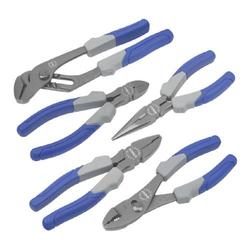
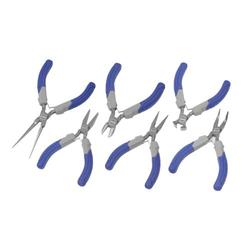
So for Christmas, I arranged for everyone in the family to have a present under the tree *TO* me *FROM* each of them. It was a surprise. They didn’t know they were, collectively, giving me 11 new pliers including some mini-pliers I have sorely needed for electronic work. They have blue handles, so they will stand out as “Dad’s” and should not be leaving my tool satchel.
Thanks family! Now stay away from my tools!!!!
Lowe’s Kobal 5-piece pliers set #253677:
Lowe’s Kobal 6-piece mini pliers set #0253678:
iPod List (Test)
This is just a test.
.podlist em {font-style:normal;color:red;} .podlist td {vertical-align:top;}
| 1-9-01 | iTunes available for Macs | ||||||||||||||
| 10-23-01 | 1G iPod 5 GB $399 | ||||||||||||||
| 1-18-02 | Ted gets 20GB Archos $279
| 3-20-02
| 10 GB $499
| 7-17-02
| 2G iPod: 5GB $299, 10 GB $399, 20 GB, $499. PC versions available.
| 4-28-03
| 3G iPod: 10 GB $299, 15 GB $399, 30 GB $499. PC or Mac compatible. iTunes music store debuts, but for Mac only.
| 9-8-03
| 20 GB $399, 40 GB $499
| 10-16-03
| iTunes for PC’s
| 11-12-03
| Ted gets 3G 20GB
| 12-25-03
| Ted lends Archos to Danny indefinitely
| |
Ecto3
I went ahead and downloaded Ecto3. It accepted the same license and registration number I had for my version2 purchase, so that’s good. Perhaps they have a buy-for-life policy.
Different menubar which I’ll bring in here using the “Import Media” button…
Which gave me access to iTunes, iPhoto, and iMovie for attaching files. Nope. Let’s try the little image button in the edit toolbar that says “insert image” when I hover over it…
That’s better. Had a simpler interface and let me create a thumbnail on the fly, so the image above is smaller than real life, and you can click on it.
I don’t see the “now playing” feature. Again, that used to be a popular thing to do. Perhaps it is out of stye and out of the software package, but since the toolbar can be customized, it may be something I can add in.
I think I’d rather teach Mom and Carol how to write in Ecto if it will help them with posting photos.
Ecto – Blog Client
Having tested out MarsEdit, I decided to revisit Ecto, which I already own, although I have version 2.4.2 and it is up to 3 something.
One of the things that got me looking at blog clients was reading old posts where I would have a line like this posted at the end:
You Shook Me All Night Long from the album “Back In Black” by AC/DC
It used to be popular to post what you were listening to as you wrote your blog, and Ecto has a button for grabbing the current song. I usually just found a song that matched the theme of a post and inserted it. It also served as a random way to listen to music. I’ll go search on the word random and see what I find…
Random from the album “LA poem project” by Claire
That’s funny. I’m now listening to something Claire did for school.
So let’s test posting an image. I just made a snaphot of the ecto toolbar. Since it is fairly wide, I shrunk it down a bit and saved it to my desktop. Since there is only an iPhoto button in the toolbar, I am going to select the menu item Draft… Add Attachment…

It came in stretched. I see the image dynamically changes size but does not maintain proportion, so that leads to distortion. Double-clicking brings in all kinds of options, one of which says to just embed the image without a thumbnail. That solved the stretching problem. I also see a “Destination” field which I’m guessing is the directory, so I typed “2010”. I’m reminded that Ecto supports thumbnails for photos, so I’ll come back to that. Now clicking Publish…
That worked great. I can already tell I like Ecto better because it does a lot more. However, that isn’t necessarily something Mom or Carol would be interested in. They might find MarsEdit’s simplicity more appealing. However, MarsEdit does not help with one of the biggest problems… modifying a photo for web posting (so you don’t upload something so huge that it is slow to render or fills up the screen.
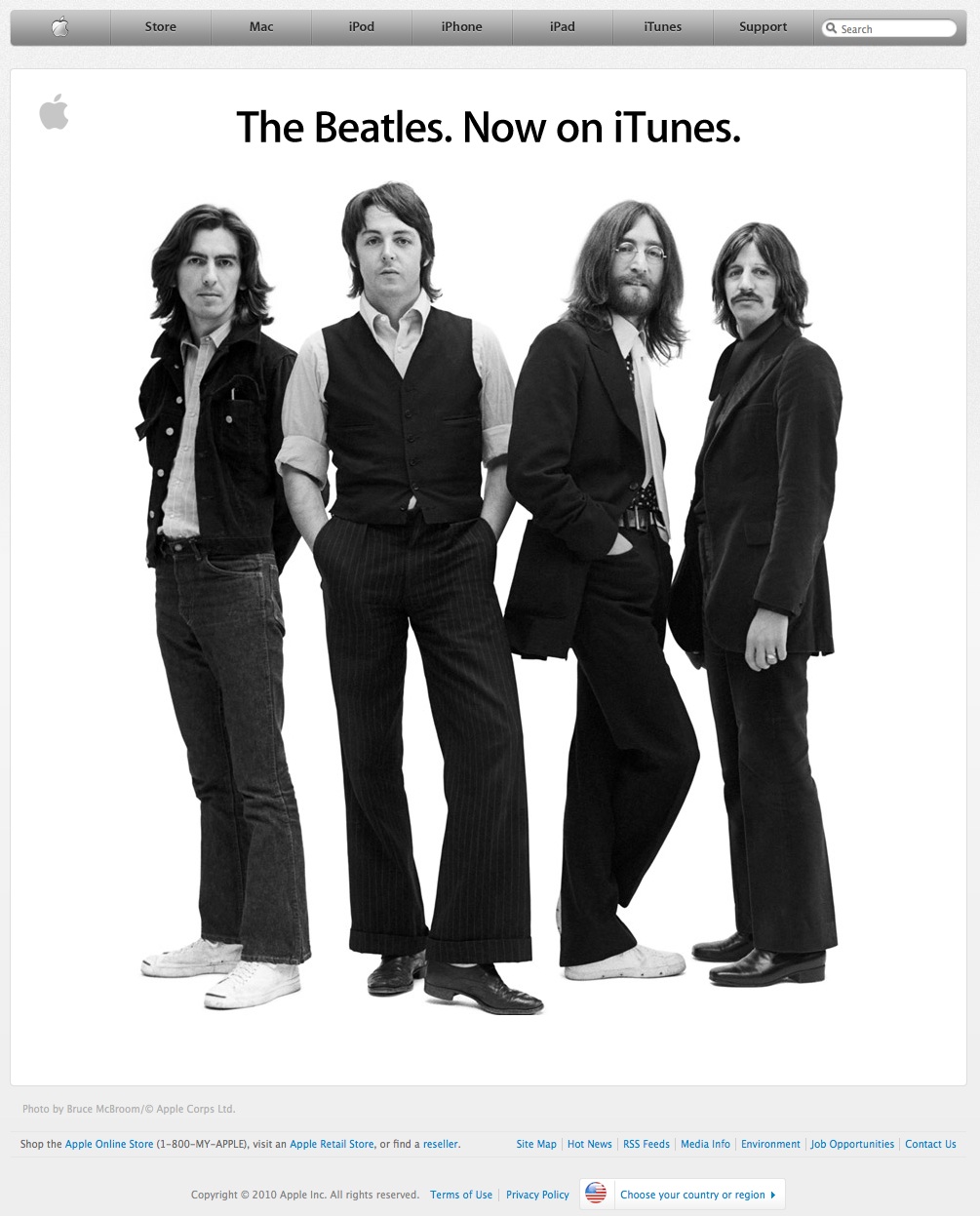
Speaking of huge, I’ll upload this screenshot from Apple.com the other day. It was so big, I had to turn my monitor sideways to get the full shot. We’ll see how Ecto handles that. Since I happened to store that image in iPhoto, I can click on the iPhoto button…
It made a tiny thumbnail for me. When I double-click on the thumbnail, it opens a window where I can make all kinds of changes. I only changed the default directory to 2010, but I can see I could have scaled the original to make sure it is not too large. That’s helpful. I’ll spend more time with Ecto… even if it is abandon-ware.
MarsEdit – Blog Client
Posting a blog entry can be a little too complicated, especially if you want to include some formatting, a table, or a photo. The built-in editors have gotten friendlier, but you still have to deal with some technical issues.
That’s where a third-party blog client comes in like MarsEdit (which I am typing in at the moment.) I also used to use Ecto but quit a while back. Apparently Ecto was acquired and is now “abandoned-ware.”
I wondered if Mom and Carol would find using a blog client easier than having to remember how to login, write an article and publish it.
I can already tell this would help Carol, because you don’t have to remember to double-return between paragraphs. Now…. let me test a photo. I see a little button at the top in the toolbar called Media. I just created a snapshot of the toolbar. Let’s see i I can put it in this article by clicking on Media:

Well that was easy. I just chose the toolbox image I had saved on my desktop. There was a field I had to fill out called “Section”. Not sure what that was for, I typed “2010”. I’m going to hit publish now and see where that picture goes. Then I’ll come back and edit this some more and publish again.
Be right back…. clicking on that “Send to Blog” button up there….
OK… I’m back. That worked great, although I can see I had several type-o’s. The errors were spelled correctly, so MarsEdit didn’t help me avoid that.
Looks like the “Section” means what directory do you want the image stored in. I’ve started storing images in a root directory with the year. That seems like a good way to keep a bunch of photos and images grouped instead of having them all go in a bunch of spread out months. So the path to the image above is: /2010/mars-edit-toolbar.png.
I see I can also insert an image by using a link to somewhere else on the internet. Let’s test an image from my Skitch library. Clicking on Media again…
Well it wasn’t there. Right-clicking and choosing Format… Image from link…

That worked. Carl from “Up” showed up. I don’t see how I can make him smaller and have a pop-up though. So Carl is not going to end up being an image on my blog, rather I am just showing an image from another server, in this case Skitch.com.
And here’s one from facebook:

So that’s MarsEdit. But it runs on a Mac. Need to look into options for Windows.